
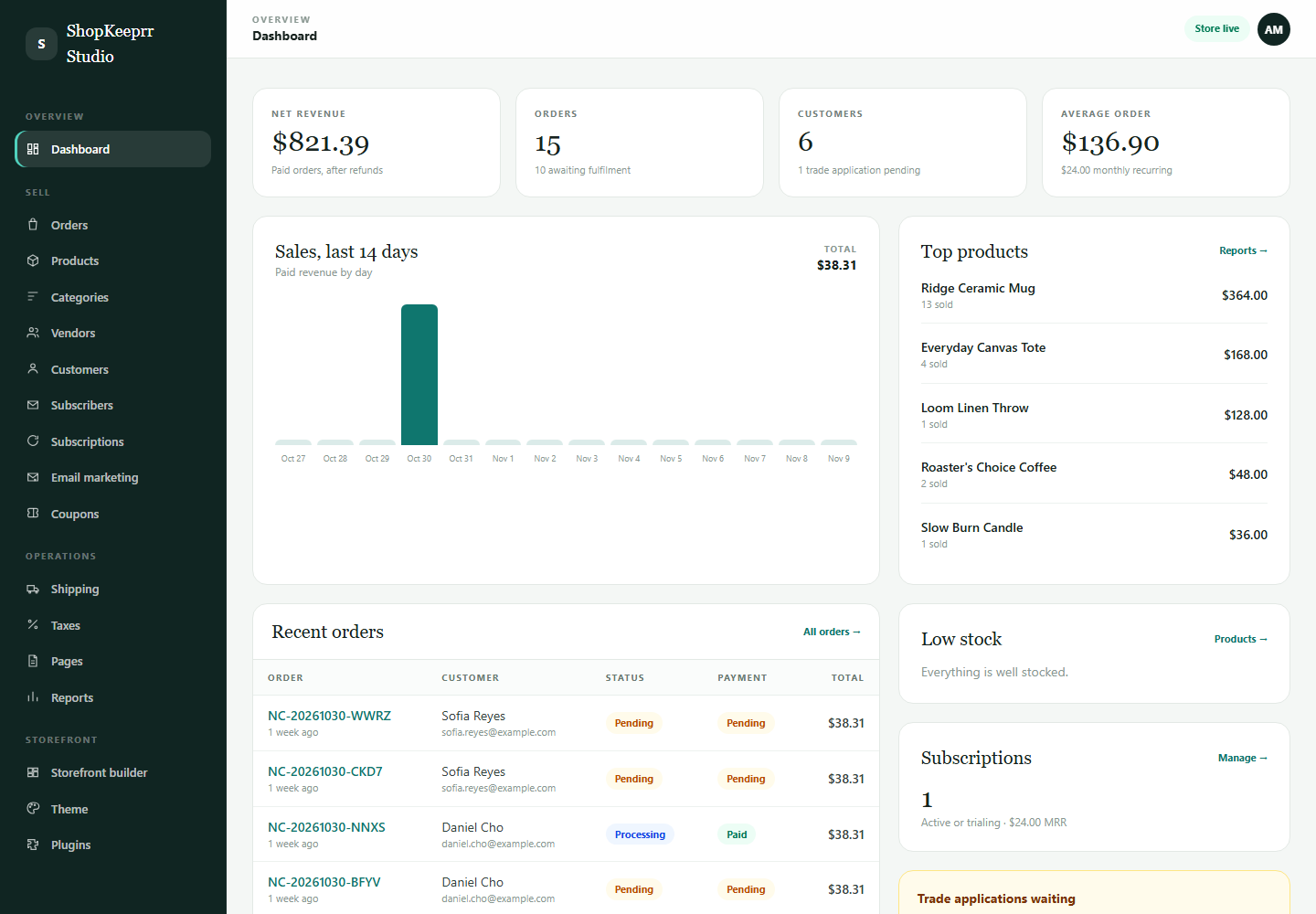
Building a marketplace is not the same as adding sellers to a shop. You are creating a system where other businesses list products, customers buy across sellers, money is split, and someone is responsible when an order goes wrong. The software is one layer; the operating model is the business.
This is a practical guide for a first marketplace. It does not promise that free software removes the hard parts, and it is not legal or tax advice. Use it to ask better questions before you install anything.
Editorial note: ShopKeeprr is our product, so we have a commercial interest in this subject. Competitor facts are taken from public documentation and linked where practical. Pricing and plan details can change; check the provider before you buy.
1. Define the marketplace model first
Before choosing software, write down the rules on one page. Ambiguity here becomes a support queue later.
- Niche and supply: what do sellers list, and why will buyers come to your marketplace instead of buying directly?
- Who sells to the buyer? The marketplace as merchant of record, or each seller individually? This affects payments, refunds and tax.
- Commission: percentage, fixed fee, category-specific, or a subscription plus commission.
- Fulfilment: does each seller ship their own items, or does the marketplace consolidate?
- Returns and disputes: who receives the return, who pays, and who decides the outcome?
- Payout: when sellers are paid, what is held back and how refunds are recovered.
- Tax: who collects and remits what, and which marketplace-facilitator rules apply.
Seller agreement, commission schedule, prohibited products, shipping expectations, refund policy, chargeback policy and payout schedule. If you cannot explain a scenario on one page, the software cannot make it fair.
2. Choose software that matches the model
| Option | Marketplace route | Cost model | Best fit |
|---|---|---|---|
| ShopKeeprr | Multi-vendor mode included: seller onboarding, seller portal, commissions, split payouts | Free proprietary core; hosting and payments extra | Self-hosted marketplace with retail/B2B in one application |
| WooCommerce + Dokan | Dokan vendor dashboard and marketplace plugin | Free WordPress/WooCommerce; Dokan paid tiers for some features | Existing WordPress sites and smaller marketplaces |
| Bagisto | Marketplace extensions on an MIT Laravel application | Free core; extension and development costs | Laravel teams wanting open-source control |
| Sylius | Sylius Plus or custom marketplace development | Free core; commercial/custom marketplace features | Complex marketplace with engineering budget |
Read the detailed comparison: free multi-vendor marketplace software. The key question is not “does it have a vendor dashboard?” but “does it support our payout, refund and tax model?”
3. Seller onboarding and compliance
A marketplace’s quality is capped by its sellers. Onboarding should be a deliberate approval process, not an open registration form with a terms checkbox.
- Application: business name, contact, country, product categories, expected volume and website.
- Identity and business checks: verify the seller and, where required, beneficial owners.
- Tax information: collect what your jurisdiction and payment provider require; get professional advice.
- Agreement: commission, payout timing, prohibited products, service standards, termination and dispute rules.
- Payment onboarding: create the connected account or payout profile before the first sale.
- Catalog review: approve the first products and check images, claims, restrictions and shipping profiles.
- Test order: place, fulfil, refund and reconcile an order before the seller goes live.
Keep an approval record and a review date. A marketplace that cannot explain why a seller was approved has weak risk controls.
4. Catalog, roles and inventory
Each product needs a clear owner. If two sellers list the same SKU, decide whether that is a duplicate listing, a shared catalog or a prohibited overlap. Define who can edit price, stock, shipping and content.
- Seller role: create and edit own products, view own orders, respond to buyer questions.
- Marketplace admin: approve sellers, moderate listings, override orders, issue refunds.
- Support role: view orders and buyer messages without changing payouts.
- Inventory: real-time stock per seller; prevent overselling when stock is shared.
- Categories and attributes: consistent enough for search and comparison.
Test a multi-seller cart before launch. One checkout can create several fulfilment obligations, and a single refund should not corrupt the others.
5. Payments, commissions and payouts
This is where marketplaces fail. Collecting money is easy; splitting it correctly after refunds and chargebacks is not.
- Use a marketplace-capable provider. Standard merchant accounts may not support connected sellers, KYC and split transfers.
- Decide who is merchant of record. It changes who owns chargebacks, refunds and tax obligations.
- Set the payout trigger. On order, on fulfilment, after a hold period or on a weekly schedule.
- Hold a reserve. New sellers or high-risk categories may need a rolling reserve.
- Handle refunds after payout. Can you recover the seller’s share? What if the balance is negative?
- Reconcile. Match orders, commissions, provider fees, refunds and payouts in one report.
A partial refund, a seller cancellation, a chargeback after payout, a negative seller balance and a multi-seller order. If the software or your process cannot handle those, the marketplace is not ready.
6. Trust, disputes and seller quality
Buyers judge the marketplace, not the individual seller. You need a visible standard and a way to enforce it.
- Review and approve listings; remove prohibited or misleading products.
- Set response and dispatch expectations, and measure them.
- Provide a clear returns and dispute path, with deadlines.
- Monitor cancellation, refund and chargeback rates by seller.
- Suspend sellers who repeatedly fail, and document why.
- Protect buyer payment data; never ask sellers to handle card details directly.
Reviews are useful but not a substitute for moderation. A marketplace that only reacts after buyer complaints is borrowing trust from its sellers and spending it quickly.
7. The launch checklist
- Seller agreement, commission schedule and prohibited-products policy published.
- KYC and tax collection process defined and tested.
- Payment provider supports connected sellers and the countries you need.
- Commission, refund and reserve rules configured and tested.
- Multi-seller cart, partial refund and chargeback scenarios tested.
- Seller dashboard and product approval workflow tested with a real seller.
- Shipping, returns and dispute policy visible to buyers.
- Support inbox, escalation path and response targets staffed.
- Backups, monitoring and an incident plan in place.
- Launch with a small group of vetted sellers before opening registration.
8. A ShopKeeprr setup path
ShopKeeprr includes a multi-vendor mode in the free core, alongside retail, B2B and subscription modes. A practical setup sequence looks like this:
- Install ShopKeeprr on staging with PHP 8.3+, MySQL or SQLite, and a queue worker.
- Enable multi-vendor mode and configure categories, commissions and seller permissions.
- Connect a payment provider that supports split payouts and seller onboarding.
- Create the seller application and approval workflow; collect identity and tax data.
- Add a test seller, product and payout profile.
- Place a multi-seller order; fulfil each item, refund one item and reconcile the payout.
- Test a seller cancellation, a chargeback and a negative balance scenario.
- Publish policies, support routes and seller standards.
- Onboard a small cohort, measure performance, then widen applications.
The core is free to download and run, but it is proprietary, not open source. Hosting, payment processing and optional extensions are separate. You own marketplace operations, including the legal and tax decisions.
Download the free core or compare marketplace software in more detail.
9. Costs and team before launch
| Area | What to budget |
|---|---|
| Platform | License or subscription, hosting, extensions and development |
| Payments | Processing fees, connected-account fees, payouts, chargebacks and currency conversion |
| Compliance | KYC checks, tax advice, seller agreements, insurance and record keeping |
| Operations | Seller support, buyer support, moderation, disputes and content |
| Marketing | Both sides of the marketplace need acquisition; supply does not appear for free |
| Technical | Maintenance, backups, monitoring, security and integrations |
Many first marketplaces underestimate seller support and payout reconciliation. Staff those before you spend on advertising. A marketplace with ten reliable sellers and clean operations is a better start than a hundred unvetted listings and a broken payout run.
Frequently asked questions
How much does it cost to build a multi-vendor marketplace?
It depends on the platform, payment model, legal setup and team. A free self-hosted core removes the license fee but not hosting, payment processing, KYC, support or development. Build a budget for operations, not just software.
Can I build a marketplace with free software?
Yes. ShopKeeprr includes multi-vendor mode in a free self-hosted core. WooCommerce with Dokan Lite is another low-cost route, and Bagisto offers marketplace extensions. Free licenses still leave hosting, payment, extension and operating costs.
Who should be the merchant of record?
That depends on your business model, payment provider and jurisdiction. The marketplace may collect and distribute funds, or each seller may be the merchant. The choice affects refunds, chargebacks, tax and payout risk. Take legal and tax advice for your situation.
How do marketplace sellers get paid?
Usually through a payment provider that supports connected accounts and split transfers. The marketplace calculates commission and fees, then pays the seller on a schedule or after fulfilment. Some setups require manual payouts. Test refunds and negative balances before launch.
Is ShopKeeprr open source?
No. The core is free to download, install, run and modify for your own marketplace, but the license is proprietary and does not permit resale or redistribution. If open source is a requirement, evaluate Bagisto, WooCommerce or Sylius.
Put it to work
Download the free ShopKeeprr core.
Install it on your own server, connect your database and start building. The core is free; hosting, payment processing and optional extensions are separate.